Invoicing System
Custom Invoicing System
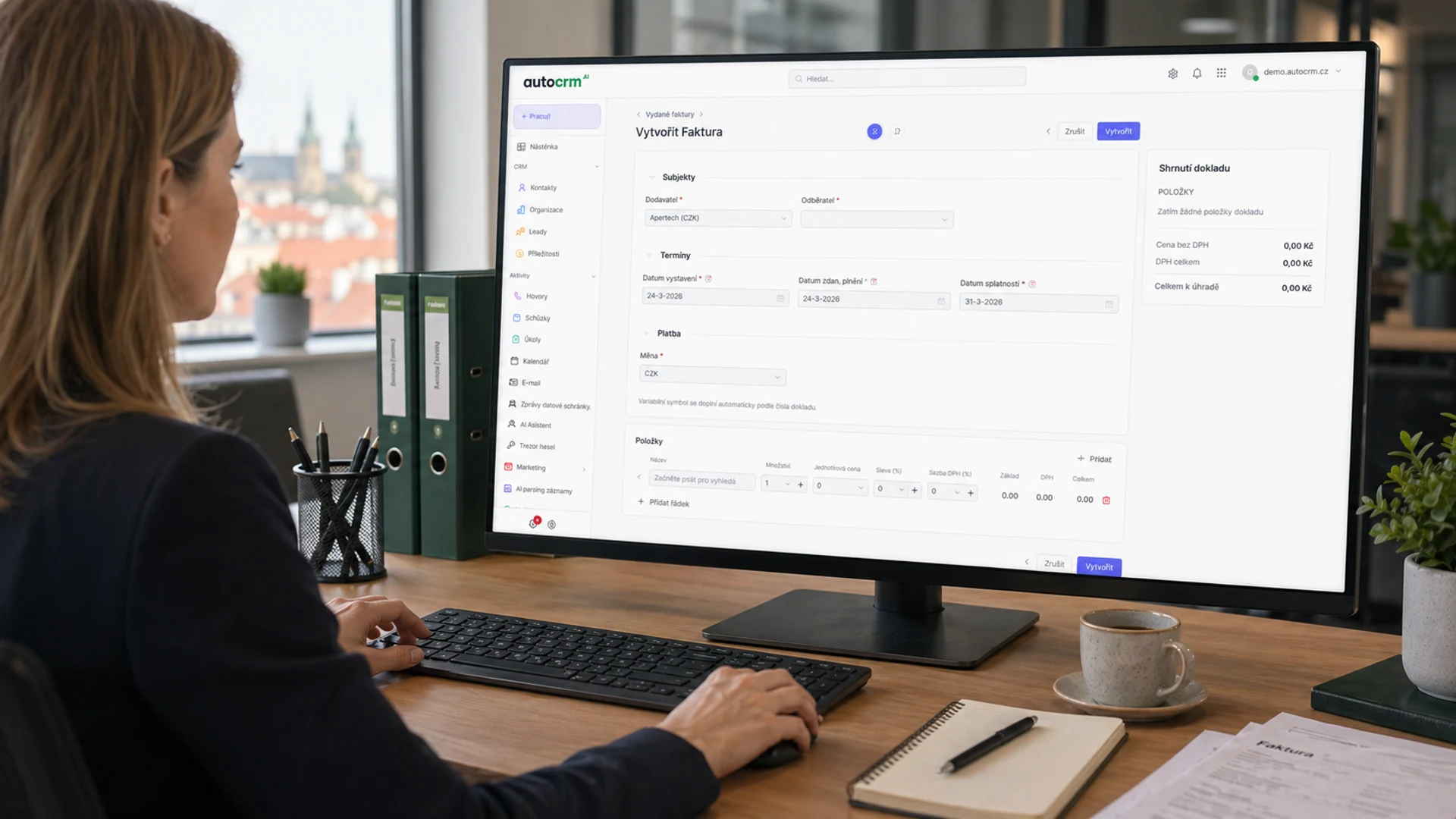
Issue invoices, track payments, and integrate with accounting systems — all in one clear interface. AutoCRM automates your entire invoicing process, saving time and money.
98.7%
Invoicing accuracy
What is an invoicing system?
What is an invoicing system?
An invoicing system is software for issuing, recording, and managing invoices and related accounting documents — credit notes, proforma, and settlement invoices. It automates document creation, tracks due dates, and connects invoicing with orders, inventory, and accounting, so a company cuts manual data entry and errors.
An invoicing system is software that automates the process of creating, managing, and tracking invoices. It connects invoicing with other business processes — from orders through delivery notes to accounting. This eliminates manual work, reduces errors, and gives you an accurate overview of receivables and payables at all times.
What an invoicing system solves
- Issuing invoices, credit notes, proforma, and settlement documents from one place
- Automatic due-date tracking and reminders for healthier cash flow
- Recurring and bulk invoicing for services, rent, or subscriptions without manual work
- Matching payments from bank statements by variable symbol and exporting to accounting (Pohoda, Money S3, FlexiBee)
- Tax documents, VAT calculation, and foreign-currency invoices with CNB exchange rates
Who an invoicing system is for
For small and medium businesses that issue tens to thousands of invoices a month and want invoicing, inventory, sales, and accounting connected in one Czech system. Invoicing in AutoCRM is a low-barrier entry point — start with invoices and add more ERP modules over time.
Where companies lose
Problems solved by an invoicing system
Manual invoicing takes hours.
Retyping data from orders to invoices is tedious, inefficient, and error-prone.
Invoice errors cost money.
Wrong amounts, missing VAT, incorrect customer details — every error means credit notes and wasted time.
Nobody monitors due dates.
Overdue invoices pile up, cash flow suffers. Manual tracking is unrealistic with hundreds of documents monthly.
Invoicing isn't linked to orders.
Orders are created in one system, invoices in another. Retyping data breeds errors.
Accounting receives documents late.
Accountants wait for invoices, manually match them, search through emails. Monthly closings drag on.
Recurring invoices are issued manually.
Regular invoicing for services, rentals, or subscriptions is done from scratch every month.
Invoicing overviews are missing.
How much is overdue? What's the quarterly revenue? Who are the best payers? Answers nowhere.
Specific requirements can't be met by off-the-shelf software.
Custom numbering sequences, special templates, multi-currency invoices — standard tools can't handle it.
Why automate invoicing?
Why automate invoicing?
We'll review your invoicing process and show you exactly where you're losing money and time.
Features of the invoicing system
Features and capabilities of the invoicing system
Invoice creation
- Automatic generation from orders and delivery notes
- Custom templates and invoice branding
- QR codes for payments and EET
- Bulk invoice generation
Payment tracking
- Automatic payment matching from bank
- Overview of receivables and payables
- Reminders and penalties for overdue payments
- Notifications on received payments
Recurring invoicing
- Automatic generation of periodic invoices
- Subscription and contract management
- Configurable intervals and templates
- Bulk processing of recurring documents
Tax documents and returns
- Tax document generation per legislation
- Automatic VAT calculation
- Data for VAT control statements
- Export for tax returns
Bank integration
- Bank statement import
- Automatic payment matching
- Multi-currency account support
- Payment gateway integration
Reporting and analytics
- Receivables and payables overviews
- Cash flow and revenue analysis
- Aging receivables reports
- Data for management decisions
Deployment process
From first consultation to working invoicing
Process analysis
We map your invoicing processes. Free of charge.
Configuration
We set up templates, numbering sequences, and accounting system connections.
Launch
We deploy the system, import data, and train your team.
Optimization
We continuously tune based on feedback and real-world operation.
Specific invoicing system features
Invoicing system connected to your entire company
Sales & CRM
Invoices are generated directly from sales cases and orders in CRM.
Warehouse
Dispatch notes and delivery notes are automatically reflected in invoices.
Manufacturing
Invoicing of finished products and orders directly from the manufacturing module.
Accounting
Automatic export to accounting systems and matching with bank statements.
Reporting
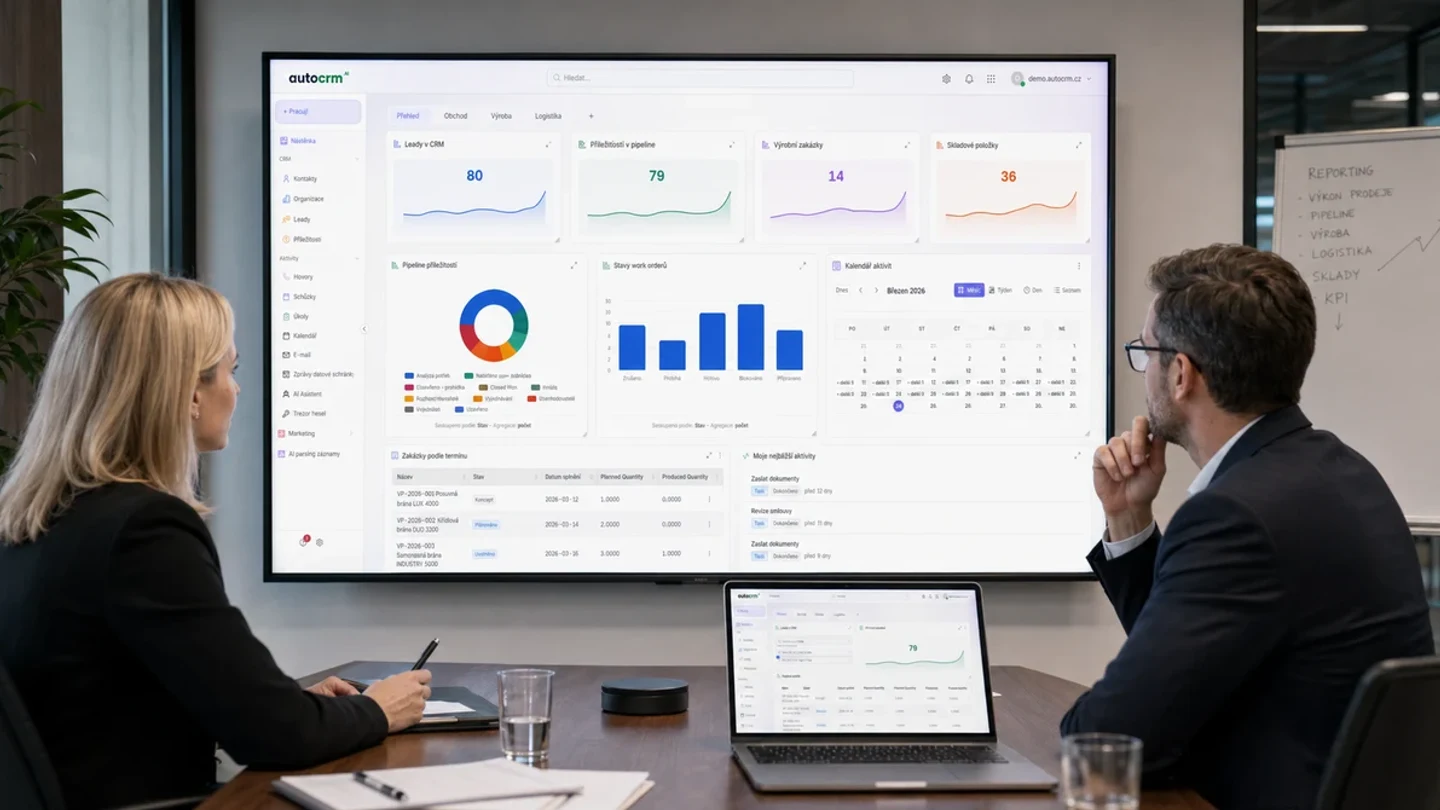
Complete overview of invoicing, receivables, and cash flow in real time.
System benefits
Benefits of implementing an invoicing system
Speed
Invoices are generated automatically from orders and delivery notes — in seconds, not hours.
Time savings
Automation of repetitive tasks frees up accountants and sales teams.
Accuracy
Automatic data transfer eliminates typos, wrong amounts, and incorrect VAT.
Clarity
You always know what's overdue, what the revenue is, and how cash flow looks.
Customizability
Custom templates, numbering sequences, currencies, and tax regimes — exactly to your needs.
ERP integration
Integration with the entire AutoCRM ERP system eliminates data retyping and speeds up closings.
Scalability
The system grows with your company — from dozens to thousands of invoices monthly.
Legislative compliance
Automatic updates according to Czech legislation, VAT, and control statements.
Results in numbers
System benefits
Invoicing accuracy
Less time on invoicing
Faster receivables collection
Errors in documents
Connected modules
Invoicing as part of a comprehensive ERP system
CRM System
Sales cases and orders are automatically reflected in invoicing.
Learn moreWarehouse System
Dispatch notes and delivery notes generate invoices automatically.
Learn moreReporting
Complete overviews of receivables, payables, and cash flow.
Learn moreAutoCRM ERP system
The business system connects invoicing with sales, warehouse, manufacturing, and reporting in one environment.
Learn moreFrequently asked questions
Frequently asked questions
An invoicing system is software that automates issuing, managing, and tracking invoices. It connects invoicing with orders, warehouse, accounting, and banking. It saves time, eliminates errors, and gives you a real-time overview of receivables and cash flow.
Yes. AutoCRM integrates with Czech accounting systems (Pohoda, Money S3, FlexiBee, and others) and enables automatic export of invoices, bank statements, and tax documents.
The system imports bank statements and automatically matches received payments with issued invoices by variable symbol, amount, and other parameters. Unmatched payments are displayed for manual processing.
Yes. The AutoCRM invoicing system supports issuing invoices in any currency with automatic exchange rate conversion from the Czech National Bank. It also supports reverse-charge and intra-community supplies.
It depends on the complexity of your processes. Basic setup — templates, numbering sequences, bank and accounting system connections — is ready in days. Complete deployment including data import and training typically takes 2-4 weeks.

Bára Ondroušková
Sales Director
We are happy to help
Try the AutoCRM invoicing system.
Join more than 150 satisfied users. Schedule a free consultation and find out how much time and money you can save by automating your invoicing.
Or write to us directly
Next modules and steps
Where to go next from this page
Modules, pricing, and references that best complement this topic.
CRM System
Complete contact management, sales opportunities and customer communication in one place.
Warehouse System
Clear warehouse records, automatic orders and real-time goods movement tracking.
Project Management
Project planning, task assignment and work progress tracking in a clear interface.
Pricing
Comparison of ERP packages, implementation, and related services.
Case Studies
Real AutoCRM implementations and client outcomes from practice.
Contact
Direct contact for sales, consultations, and next steps with AutoCRM.