Custom reporting — a comprehensive reporting system for your company
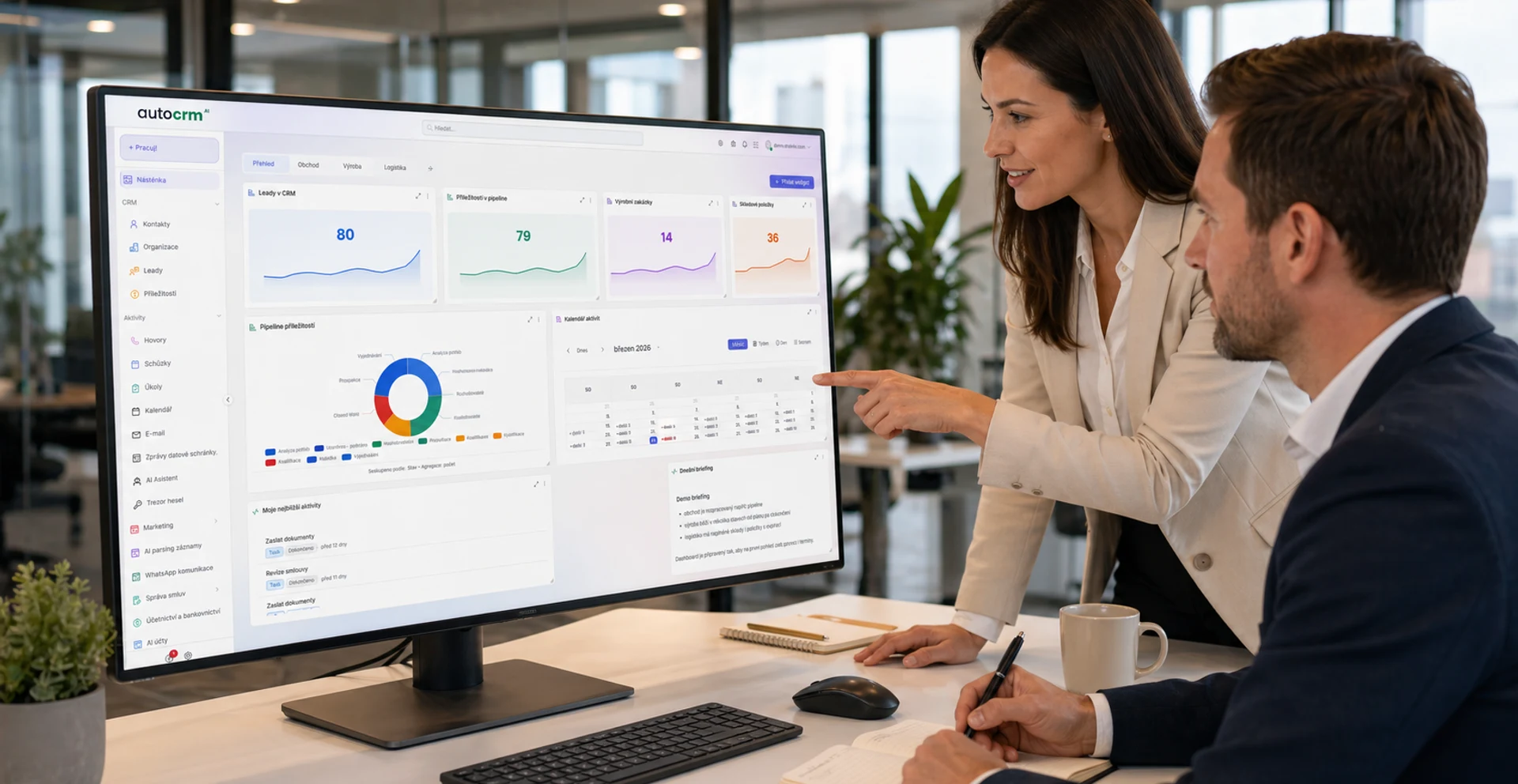
What is reporting and why does your company need it? Reporting in CRM and CRM systems gives you an instant overview of key indicators, electronic business data, and real performance of your company.
+42%
Faster decisions
3.2s
Report generation
What is reporting and why does your company need it?
Reporting in CRM and CRM systems delivers the data you need
Without quality reporting, you're managing your company blind. You make decisions based on gut feelings instead of data. AutoCRM reporting gives you an accurate picture of what's happening in your company — and more importantly, why.
Reporting in CRM and CRM
Reporting in CRM and CRM systems — managing your company through electronic business data
By connecting reporting with CRM, you get a unified view of sales, manufacturing, warehouse, finance, and customers. No manual data downloads from different systems — everything in one place.
Key concepts
CRM Reporting and company features
You're making decisions based on outdated data.
Spreadsheets and manual reports are slow and inaccurate. By the time the report is ready, the data is already stale.
Every department has different numbers.
Sales, production, and finance work with different data. Comparison is impossible and conflicts arise.
Nobody tracks KPIs systematically.
Key performance indicators are measured only occasionally, or not at all. Problems are discovered late.
Manual report preparation takes hours.
Instead of analysis, you spend time copying data from Excel to Excel. Zero added value.
Management lacks real-time visibility.
Leadership learns about problems with a delay — and the response comes too late.
Missing visualization and interactive dashboards.
Tables full of numbers say nothing. Without charts and trends, key information is easily overlooked.
Solution for your reporting
Want to take a closer look at reporting?
We'll review your reporting needs and show you how AutoCRM can deliver the data you truly need.
Reporting and CRM company features
What the AutoCRM reporting system can do
Sales reports and revenue analysis
- Real-time revenue, margin, and turnover overviews
- Sales pipeline and conversion rate analysis
- Customer segmentation by performance
- Plan vs. actual comparison with drill-down to details
Financial overviews and cash flow
- Automated financial statements and balance sheets
- Real-time receivables and payables tracking
- Cash flow predictions based on historical data
- Budget vs. reality comparison by cost centers
Custom dashboards and KPIs
- Drag-and-drop custom dashboard builder
- Configurable KPI widgets with alerts
- Dashboard sharing between teams and management
- More than 50 predefined templates
Report export and sharing
- Export to PDF, Excel, CSV, and Google Sheets
- Automated email report delivery
- Report generation via API
- Secure sharing with external partners
Scheduled and automated reports
- Set up automatic report generation
- Daily, weekly, and monthly scheduling
- Conditional reports when thresholds are reached
- Archive and history of generated reports
KPI and performance goal tracking
- Real-time monitoring of key indicators
- Visual goal fulfillment indicators (traffic lights, charts)
- Automatic notifications when limits are exceeded
- Benchmarking and period-over-period comparison
Reporting in CRM and CRM
Reporting and CRM company features
Connect data from across your company and get reports with real analytical value.
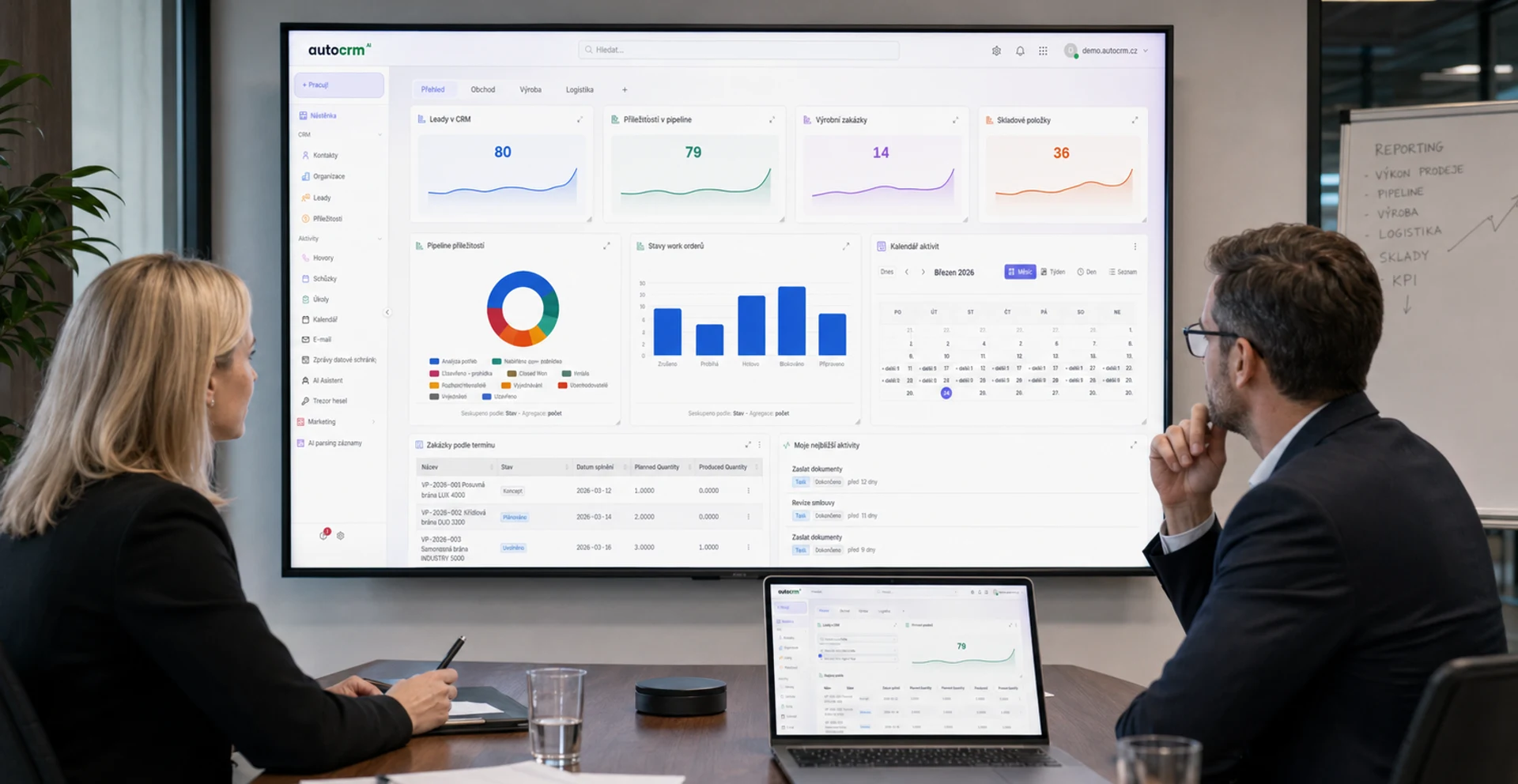
Sales reporting
Revenue, conversions, pipeline — everything from CRM on one dashboard.
Manufacturing reporting
OEE, scrap rates, lead times — key manufacturing metrics.
Inventory overviews
Stock levels, turnover, forecasts — intelligent inventory management.
Financial analysis
Cash flow, receivables, budgets — financial health of your company.
Benefits of using our reporting
Why choose reporting in AutoCRM
Instant data access
Dashboards update in real time — make decisions based on current information.
Better management decisions
Visual overviews and trends instead of cluttered spreadsheets. Data speaks clearly.
Single source of truth
All departments work with the same data. No more inconsistencies and guesswork.
Time savings on report preparation
Automatic generation saves hours of work monthly. Spend time on analysis, not preparation.
Custom-tailored
Every company is different — AutoCRM reporting adapts to your processes and KPIs.
Security and access control
Granular permissions ensure everyone sees only the data they're authorized to access.
Scalability
Growing? Reporting grows with you. From small business to enterprise without compromises.
Full CRM integration
Reporting isn't isolated — it automatically draws data from warehouse, manufacturing, sales, and finance.
Connections and integrations
Data sources for your reporting
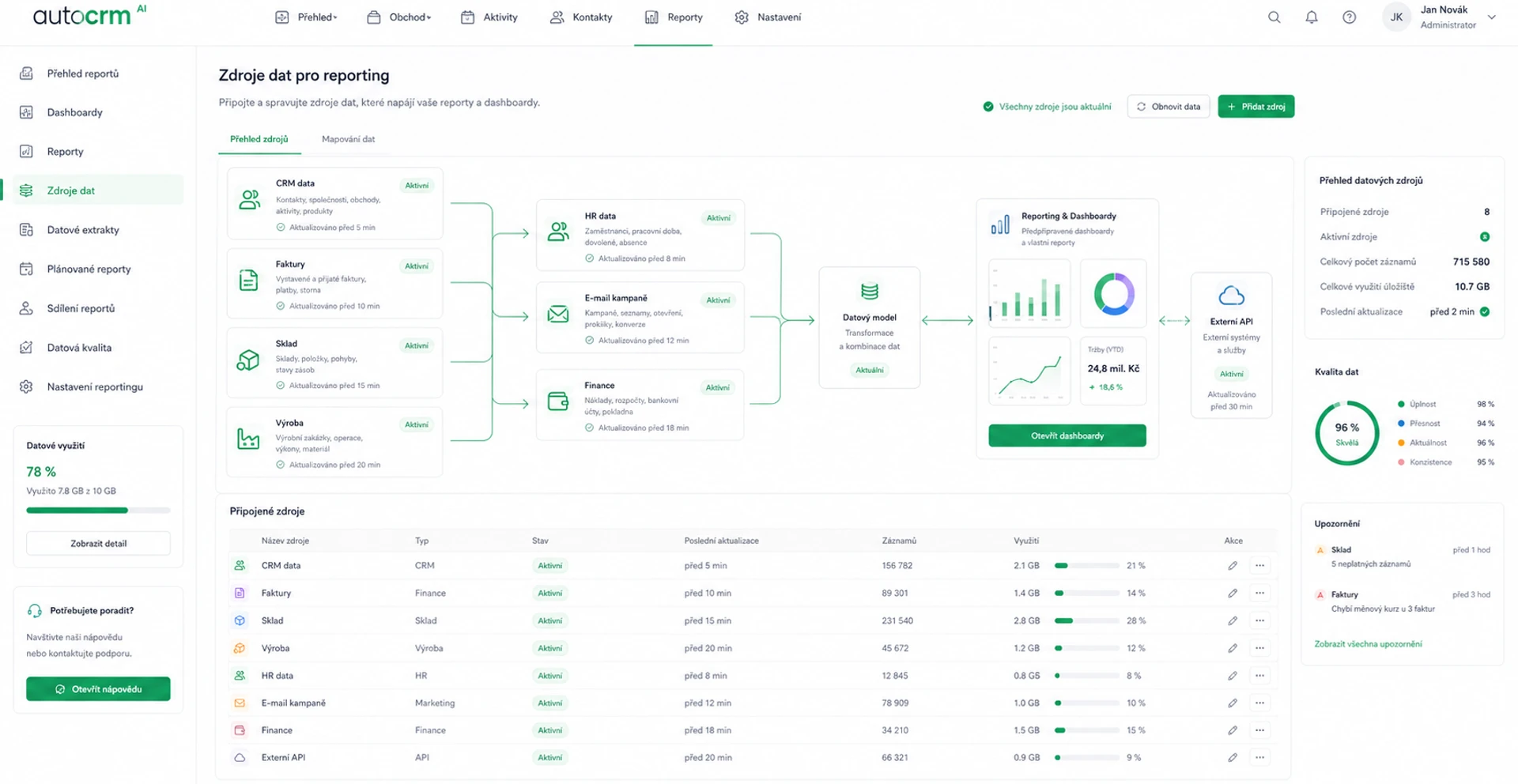
CRM modules
Warehouse, manufacturing, invoicing, projects
CRM data
Contacts, deals, pipeline
Spreadsheets
Import from Excel, Google Sheets
Business Intelligence
Connection to BI tools
Historical data
Import and comparison of past periods
See for yourself
See for yourself — using our reporting transforms decision-making
Reporting in AutoCRM isn't just a collection of charts. It's a tool that changes the way you manage your company — from intuition to data.
- Interactive charts with drill-down capability into details
- Automatic alerts on deviations from plan
- Historical comparison and development forecasts
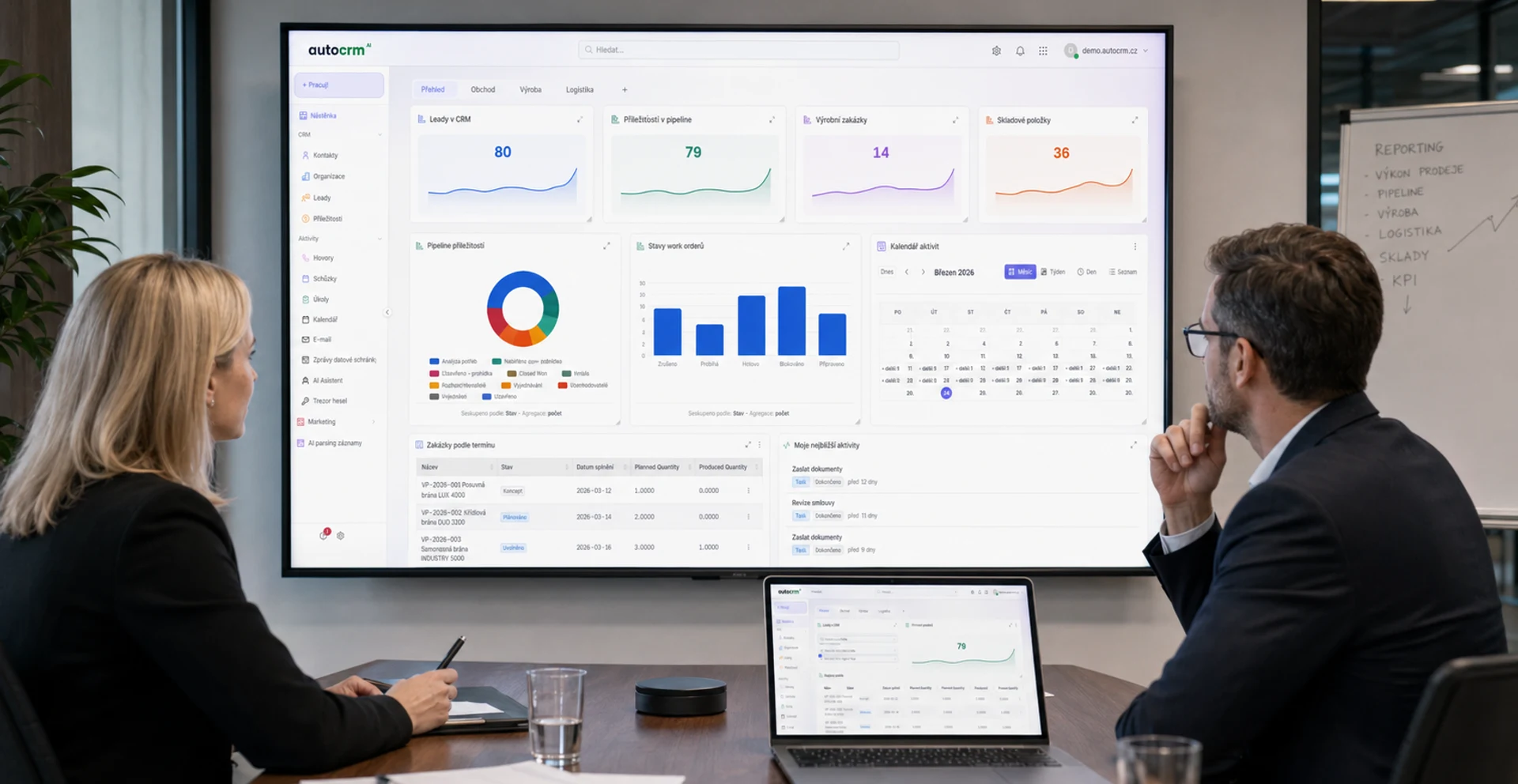
Real-time overview
Overviews using cutting-edge reporting
Live dashboards update automatically and give management an instant overview of company status. No waiting for monthly closings — you see what's happening right now.
Case studies
Case study — how reporting helps companies
Manufacturing company with 200+ employees
Thanks to AutoCRM reporting, they reduced monthly report preparation from 3 days to 15 minutes. Management has real-time visibility and makes faster decisions.
See case studiesSales company with 50 reps
Automated sales reports replaced manual spreadsheets. Conversion of business opportunities increased by 28% thanks to better pipeline tracking.
See case studiesResults in numbers
What AutoCRM reporting delivers
Time saved on reports
Predefined templates
Average generation time
Faster decision-making
Frequently asked questions
Most common reporting questions
Reporting in an CRM system is a tool for automatically generating overviews, charts, and analyses from company data. It connects data from warehouse, manufacturing, sales, finance, and other modules into comprehensible dashboards and reports that help management make better decisions.
Yes. AutoCRM reporting offers a drag-and-drop dashboard editor, over 50 predefined templates, and the ability to create custom reports precisely according to your KPIs and processes. Each user can set up their own data view.
Reports can be exported to PDF, Excel (XLSX), CSV, and Google Sheets. We also support automated email delivery at set intervals and report generation via REST API for integration with other systems.
Reporting gives management instant visibility into key company indicators — revenue, margins, cash flow, manufacturing efficiency, inventory status, and more. Visual dashboards replace cluttered spreadsheets and enable faster, more accurate decision-making.
Yes. You can set up automatic report generation and delivery — daily, weekly, or monthly. The system also supports conditional reports that are generated automatically when set threshold values are reached (e.g., revenue drops below a limit).

Bára Ondroušková
Sales Director
We are happy to help
Try the AutoCRM reporting system.
Join over 150 satisfied users. Schedule a free consultation and find out how AutoCRM reporting can help you better manage your company.
Or write to us directly
Related solutions
Related solutions to compare
Other functional areas that typically connect to this solution in real implementations.
AI for Business
Artificial intelligence for process automation, predictive analytics and intelligent decision-making.
CRM System
Complete contact management, sales opportunities and customer communication in one place.
Invoicing System
Automatic invoice creation, payment matching and clear accounting reports for your business.
Pricing
Comparison of ERP packages, implementation, and related services.
Case Studies
Real AutoCRM implementations and client outcomes from practice.
Contact
Direct contact for sales, consultations, and next steps with AutoCRM.